
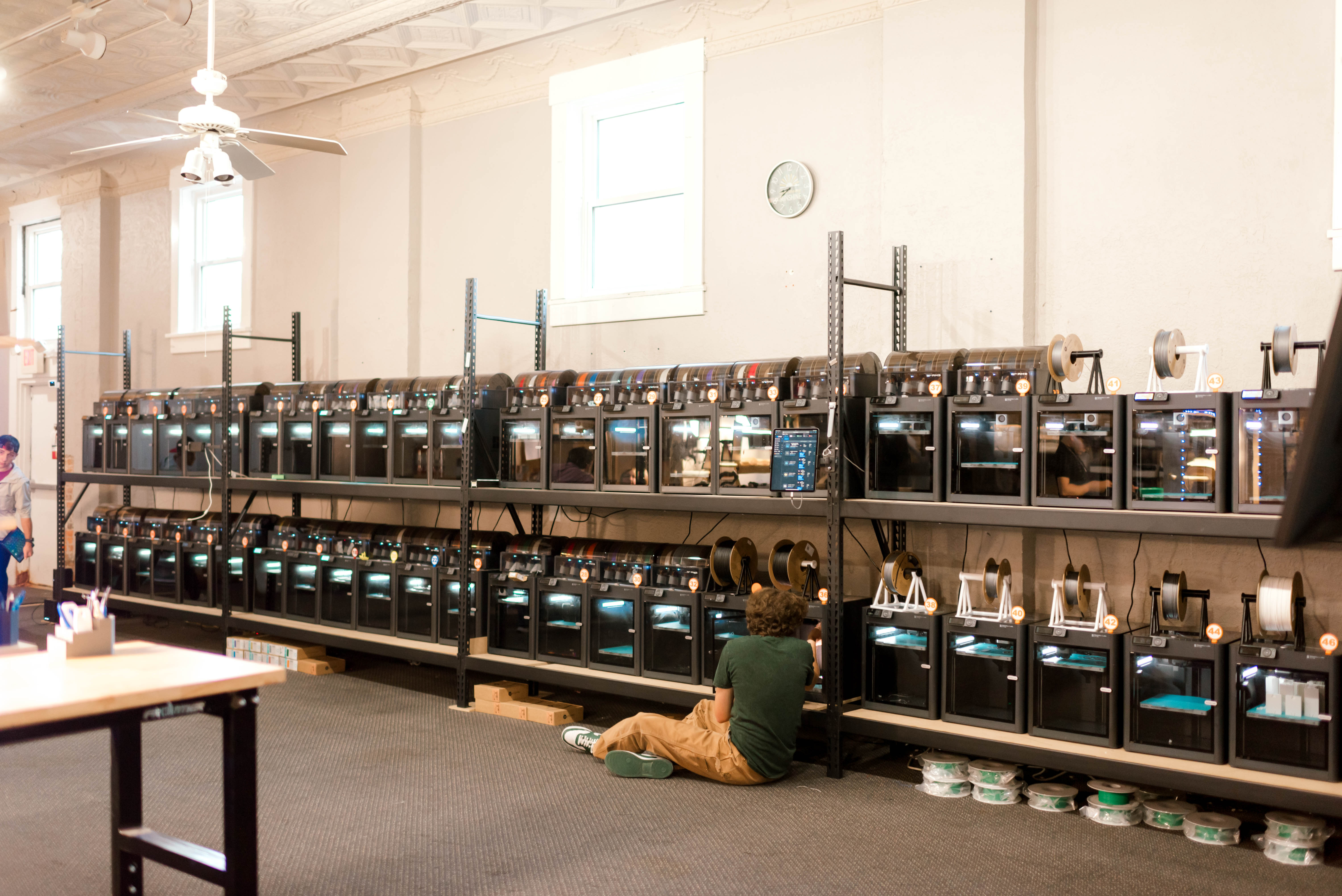
How Printago Helps 3D Print Farms Run Like Real Production Lines
Running a 3D print farm is very different from running a single desktop printer. Once you have more than a handful of machines, you’re suddenly dealing with scheduling, materials, failed jobs, queues, and deadlines. That’s where tools like Printago come in — they turn a collection of printers into something that behaves more like a real, organized production line.
What Is Printago?
Printago is a modern, cloud-based 3D print farm manager. It’s built for people and studios that run multiple printers and want a single place to manage:
- Which jobs go to which printer
- What materials and colors are loaded where
- How to keep queues full without babysitting every machine
Instead of logging into each printer one by one, Printago gives you a central dashboard for your whole farm.
The Pain Points of a Growing 3D Print Farm
If you’ve ever tried to run more than a few printers manually, you’ve probably run into some of these issues:
- Idle machines because nobody remembered to start the next job
- Wrong material or color because the file went to the wrong printer
- Messy spreadsheets or notes to track which job is where
- Inconsistent quality because every machine is set up a bit differently
A tool like Printago exists to reduce that chaos. It helps you send the right job to the right printer with the right material, over and over again.
Key Printago Features for 3D Print Farms
1. Centralized Printer Management
Instead of bouncing between different printer interfaces, Printago lets you see your whole farm in one place. You can:
- View the status of each printer at a glance
- See what’s printing, what’s idle, and what’s queued
- Quickly spot bottlenecks or underused machines
That’s a big deal when you’re trying to keep dozens of printers running steadily without burning out your team.
2. Smart Queue and Job Routing
Printago’s queue system is built to answer a simple question: “Which printer should run this job?” It can route work based on:
- Material type and color
- Printer compatibility or restrictions
- Any custom rules you set up
Instead of dragging and dropping files between machines manually, you tell Printago what you want printed and let it decide where it makes the most sense.
3. Material and Color Management
Many farms run multiple materials and colors across different printers. Printago helps you:
- Map model colors to specific filaments or materials
- Make sure a job only goes to printers that actually have the right filament loaded
- Reduce mistakes where a job prints in the wrong color or material
That’s especially useful if you’re doing production runs where consistency really matters.
4. Cloud-Based Slicing and Shared Profiles
With Printago, slicing doesn’t have to live on one workstation. Cloud-based slicing and shared profiles mean:
- Everyone uses the same tuned profiles
- You don’t have to manage multiple slicer installs and configs
- Job preparation can be done from anywhere, not just “the slicing computer”
Consistent profiles mean more consistent parts, which is exactly what you want in a print farm.
5. Automation and Continuous Production
One of the biggest advantages of a good farm manager is the ability to push toward continuous production. Combined with the right hardware setups, Printago can help with:
- Automatically starting the next job when a printer finishes
- Keeping queues full so machines don’t sit idle overnight
- Making it easier to run your farm closer to 24/7
If you think of your printers as tiny production lines, this is the software that keeps the line moving.
Why Good Farm Management Matters for Your Customers
The right print farm manager isn’t just a “nice-to-have” for your internal team — it changes what you can promise customers:
- Faster turnaround because you’re using your capacity efficiently
- More reliable lead times because you can actually see and plan the queue
- Better consistency because jobs use shared profiles and known-good settings
For a studio like JC Studio For You, tools in this category are part of how we think about scaling: they help turn a room full of printers into a service people can trust with real deadlines.
Is Printago Right for Every 3D Printer User?
If you only have one printer on your desk and you print occasionally, a full farm manager is probably overkill. But once you start:
- Managing a growing fleet of printers
- Running paid work for customers
- Needing consistent output week after week
…a tool like Printago starts to make a lot more sense. It reduces manual work, lowers the chance of errors, and gives you better visibility into your print operations.
How to Get the Most Out of a Print Farm Manager
Whether you choose Printago or another platform, a few best practices will help you get the most out of it:
- Standardize your profiles so every printer is running from the same baseline
- Name and label printers clearly in both the software and your physical space
- Define simple routing rules (by material, nozzle size, bed size, etc.)
- Keep your farm status accurate — update when a printer is down or needs maintenance
The goal is to make it obvious what should print where, so the software can do most of the heavy lifting.
Need Help with Your Own 3D Print Farm?
If you’re thinking about setting up a 3D print farm or you already have one and need extra capacity, JC Studio For You is here to help. We run a large print farm in Central Ohio focused on real-world parts — from prototypes and production runs to replacement parts and cosplay.
Tell us what you’re working on, and we’ll help you figure out the best way to get it printed.